
Free and open source
Lay out your ideas, together.
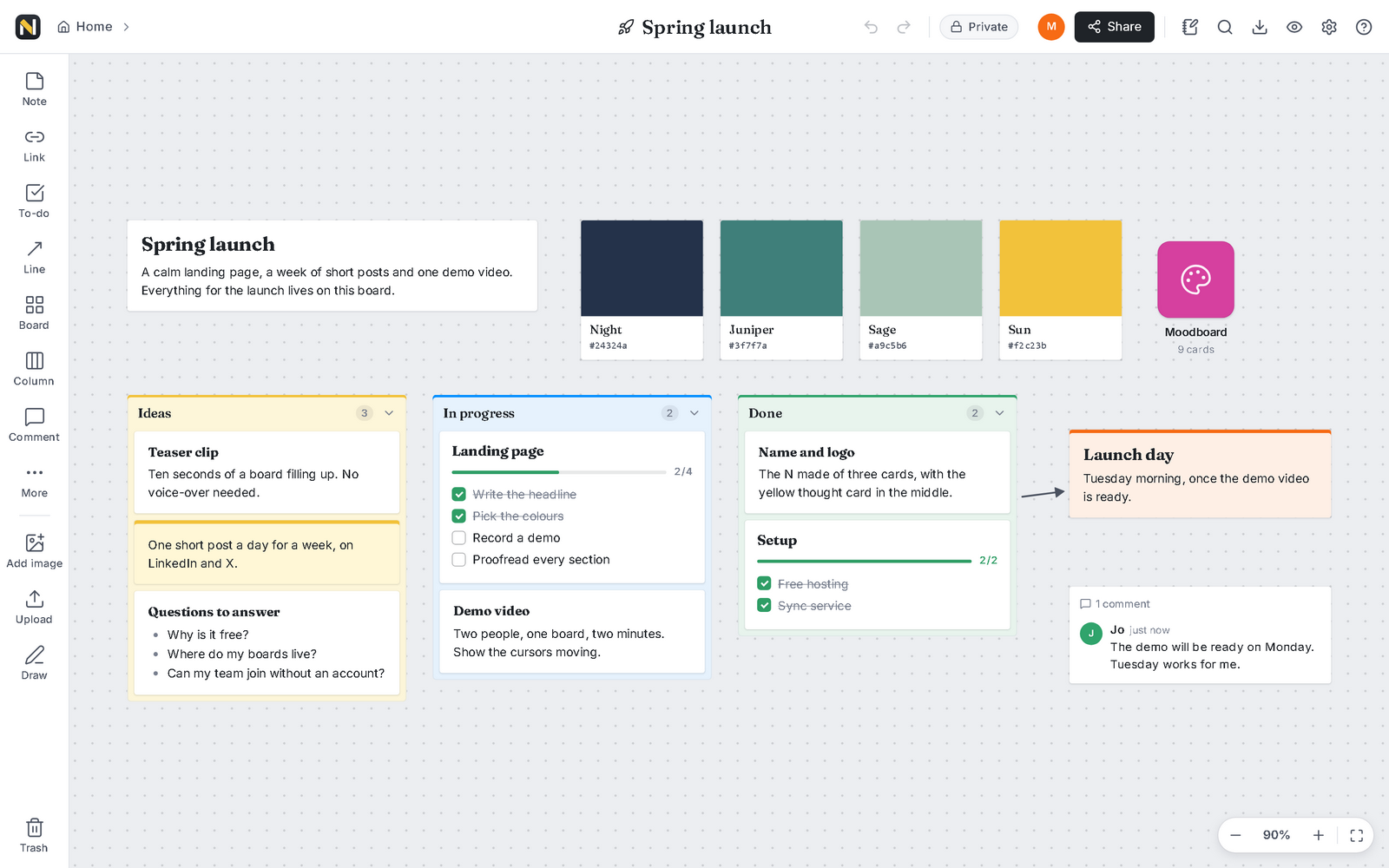
NoemaBoard is an endless canvas for notes, images, links and to-dos. Send your team a link and work on the same board at the same time. Free, with no account and no limits.
Runs in your browser. Desktop apps for Windows, macOS and Linux.
- No account
- No ads or tracking
- No limits
- End-to-end encrypted
- Open source
How it works
Three steps, no sign-up
From an empty canvas to a board your whole team is working on, in about a minute.
-
Create a board
Start blank or from a template. Drop in notes, pictures, links and lists, and put them wherever they make sense to you.
-
Share the invite link
Send the link however you like. Teammates open it in a browser or the desktop app and land right on the board.
-
Edit together, live
See each other's cursors and changes as they happen, even when two people type in the same note.
Features
Everything a board needs
Collect anything, arrange it freely, and add structure when you are ready for it.
-
Notes
Rich text with headings, lists and checklists. Colour a note to make it stand out.
-
Images with crop
Drop in pictures, add captions, then crop, rotate or flip them without leaving the board.
-
Links and video
Paste a link for a tidy preview. Videos and music from popular sites play right on the board.
-
To-do lists
Tick tasks off and watch the progress bar fill. Set a reminder for the ones with a deadline.
-
Columns
Stack cards in columns for stages, days or a simple kanban, and drag them between columns.
-
Boards inside boards
Put a board on a board to keep big projects clear. Breadcrumbs always show the way back.
-
Lines and arrows
Connect cards to show order, cause or flow, and label the connection.
-
Comments
Talk it through in a thread next to the work, and mention a teammate to get their eyes on it.
-
Sketches
Draw freehand with a mouse, a pen or a finger when words are not the quickest way.
-
Templates
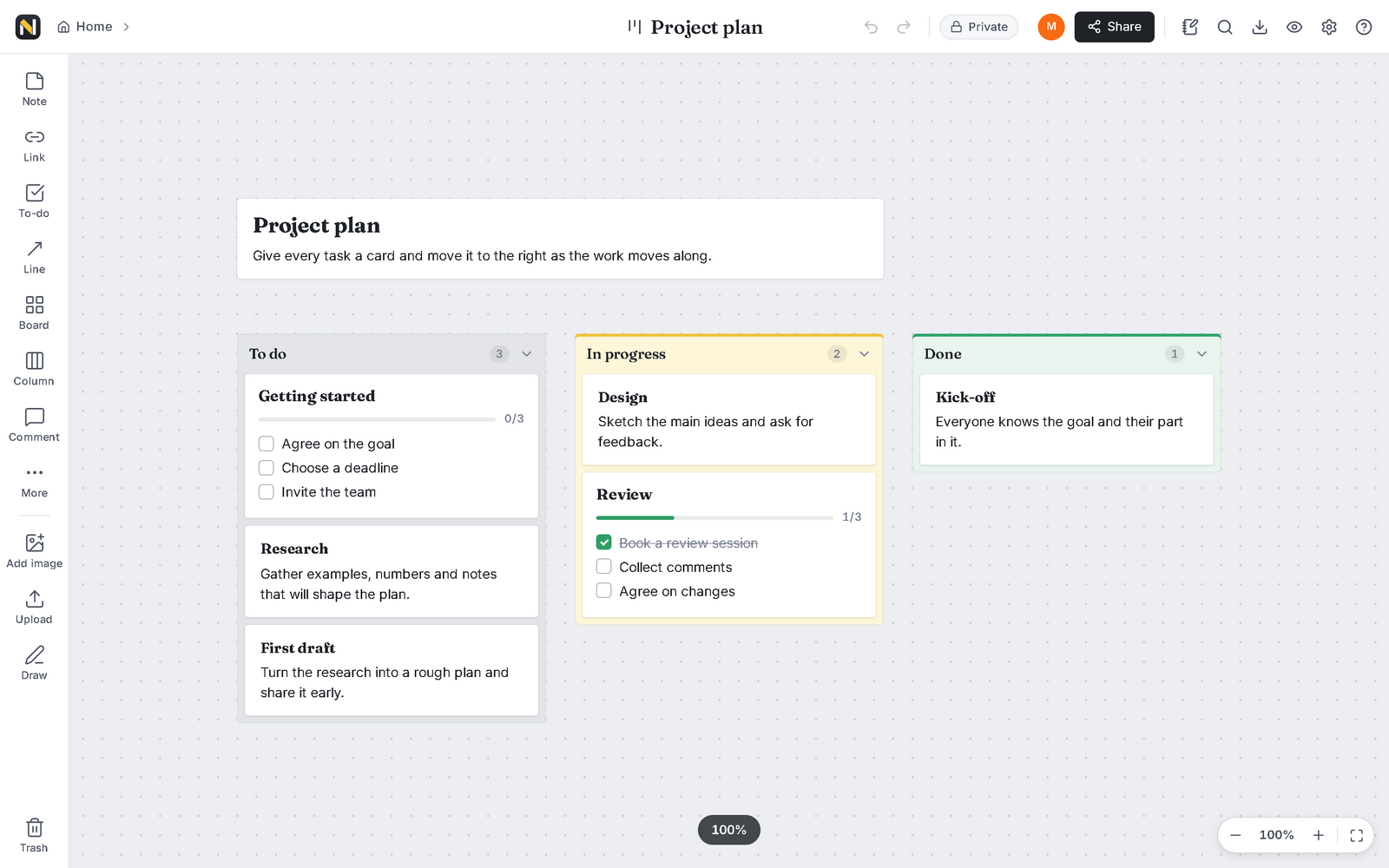
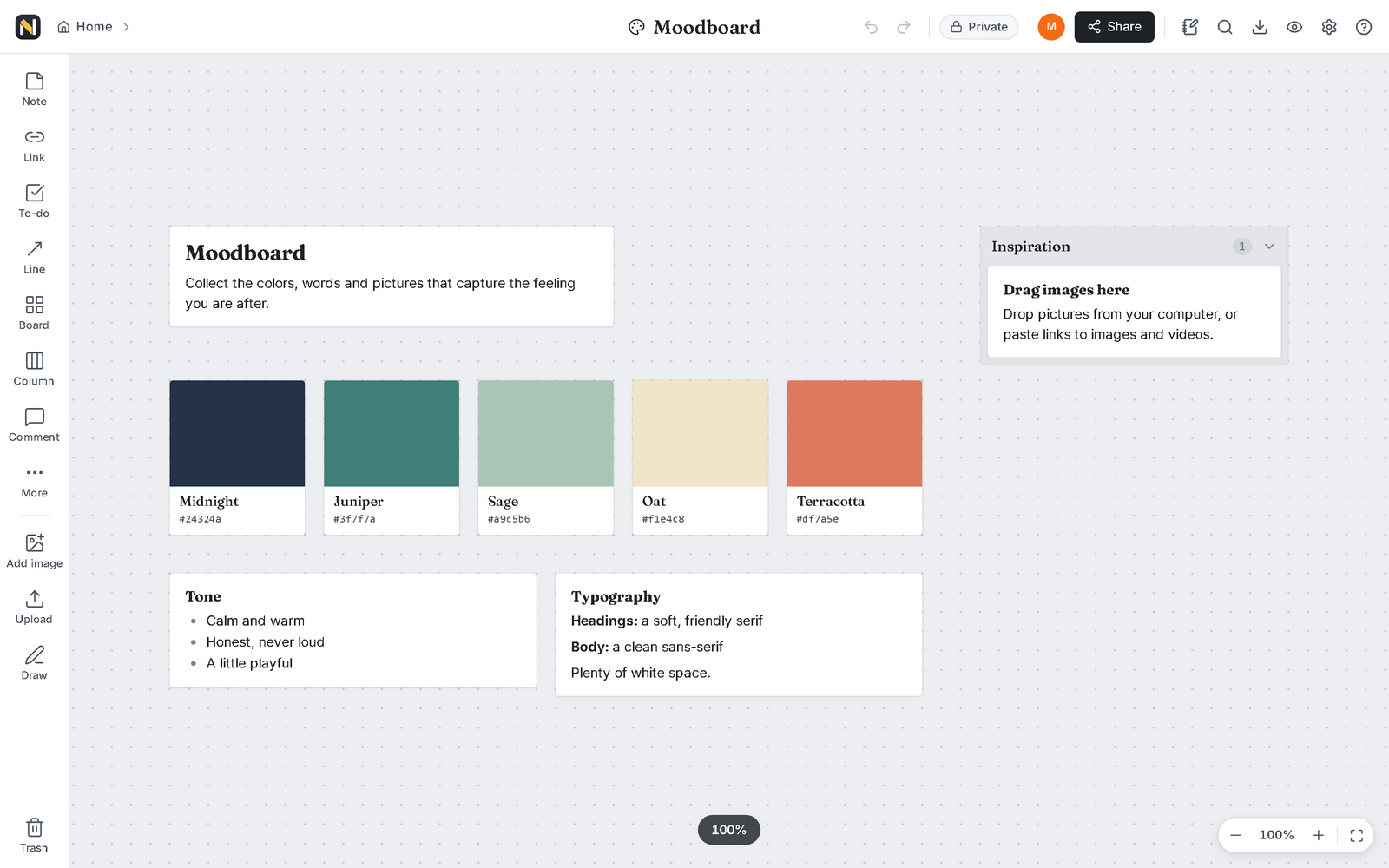
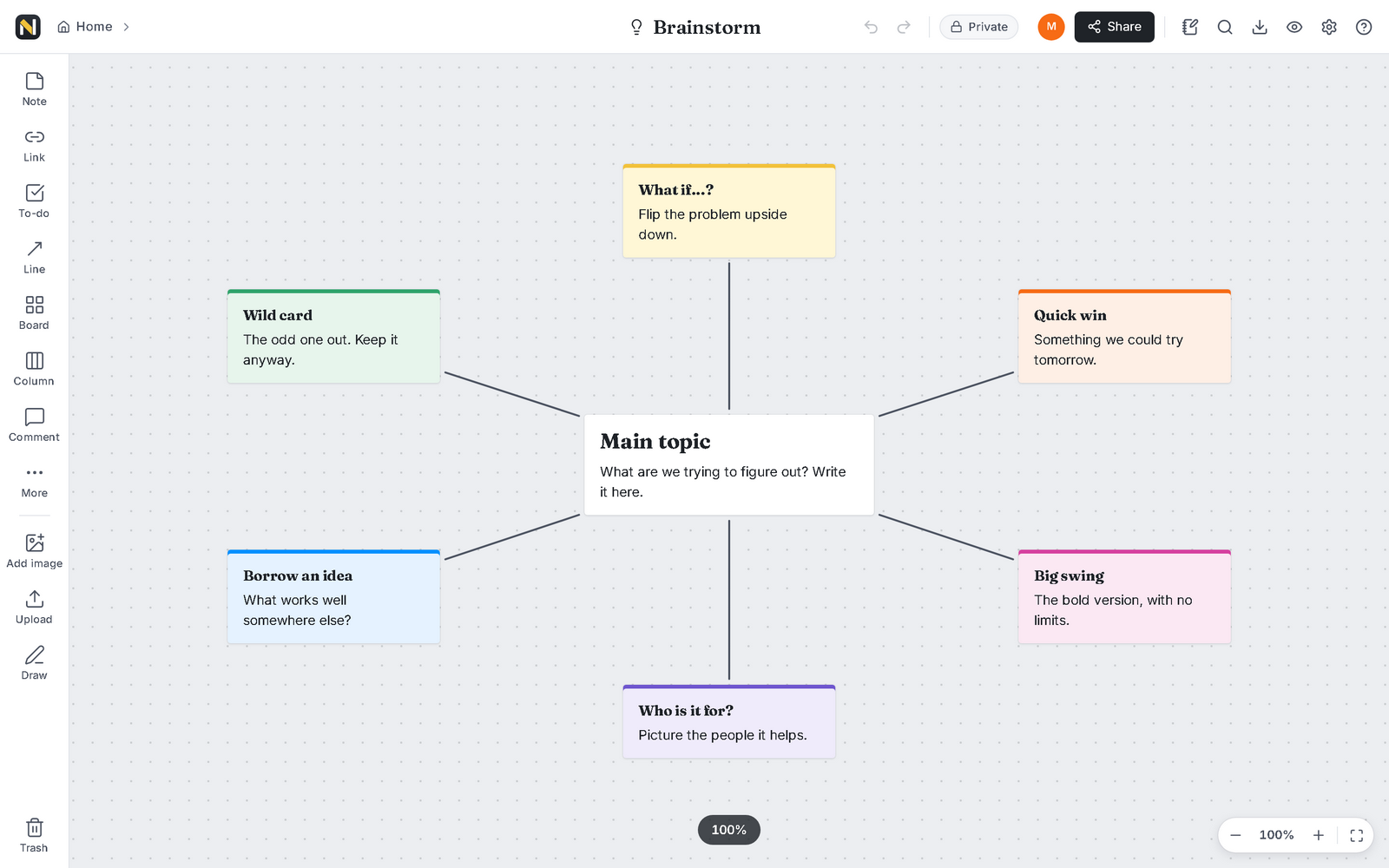
Project plan, weekly planner, brainstorm, moodboard, meeting notes, retrospective and storyboard.
-
Works offline
Every board is saved on your device. Keep going without a connection and sync when you are back.
-
Desktop apps
Install it on Windows, macOS or Linux, or use the web app in any modern browser.
A look inside
Real boards, made in NoemaBoard
Free, really
Not a trial. Not a starter plan.
There is nothing to upgrade to. Every feature is there for everyone, from the first board.
- No accounts. Pick a name and a colour so your teammates know who is who. That is the whole setup.
- No ads. Nothing to sell you, and nobody to sell your attention to.
- No limits. As many boards, cards and teammates as you like.
- Open source. MIT licensed. Read the code, change it, or run your own copy.
Privacy
Your boards are yours to read
Not ours, and not a server's.
-
End-to-end encrypted
Boards are encrypted on your device before they travel, and only people with the board's key can open them.
-
The server can't read them
The sync service stores and passes on encrypted data it has no key for. It can't see your notes, pictures or titles.
-
No tracking
No analytics, no ads, no cookies, in the app and on this page.
Where the key lives
app.noemaboard.workers.dev/app/#/join/k7Fq2wL9…
The address: this part reaches the server.
After the #: holds the board's key. Browsers never send this part to any server.
Anyone with an invite link can open and edit that board, so share it the way you would share a key.
Desktop apps
Take your boards to the desktop
Your boards one click away, even offline. The desktop app can also keep shared boards online in the background, so teammates can sync while its window is closed.
Desktop downloads are coming soon. Until then, NoemaBoard runs in any modern browser, on any computer, with the same features.
Open NoemaBoardFAQ
Good questions
Is it really free?
Yes. There is no paid plan, no trial period and no ads. Boards live on your own devices, and the always-on sync service runs on a free hosting plan, so there is no running cost to recover from you.
Do I need an account?
No. Open the app, choose the name and colour your teammates will see, and start. To work with someone, send them the board's invite link.
Is my data safe?
Your boards are saved on your device and are end-to-end encrypted whenever they sync, so the sync service only holds data it can't read. Deleted cards wait in the trash for 90 days, and you can save a full backup at any time. One thing to keep in mind: anyone with a board's invite link can open and edit it, so share links only with people you trust.
What if my teammates are offline?
Just keep working. Your changes are saved on your device and reach the always-on sync service as soon as you are online, so teammates get them the next time they open the board, even if you are offline by then.
Does it work on phones?
Yes, in your phone's browser. Pan with one finger, pinch to zoom and double-tap to add a note. Big boards are most comfortable on a larger screen, and there are no separate phone apps yet.
Can I host it myself?
Yes. NoemaBoard is open source under the MIT license. You can publish your own copy of the web app together with its sync service on a free hosting plan, or run the sync server on any computer you trust.
Found a problem or have an idea?
Tell us in the NoemaBoard Discord: post problems in the bug-reports forum and wishes in feature-ideas. You can also open an issue on GitHub. Please never post a board's invite link, since anyone with it can edit that board.
Give your next idea some room.
Open a board, share the link, and think it through together.